
- Type (e.g. points, benefits, etc.)
- Geography
- Brand
- Any other classification that makes sense for your organization
Program Agent
Fielo AI can help you understand how your program is performing, which incentives are doing better than others, explore ideas on how to improve your program, and more. To start a chat, click on the purple ✨ icon on the right side of a program detail page.Visualization
You can access a visual summary of the incentives that are active in your program. To do so, navigate to the Incentive Details tab. There, you’ll find a diagram showing each of your active incentives (blue), the rules inside them (green), and the rewards they give (yellow).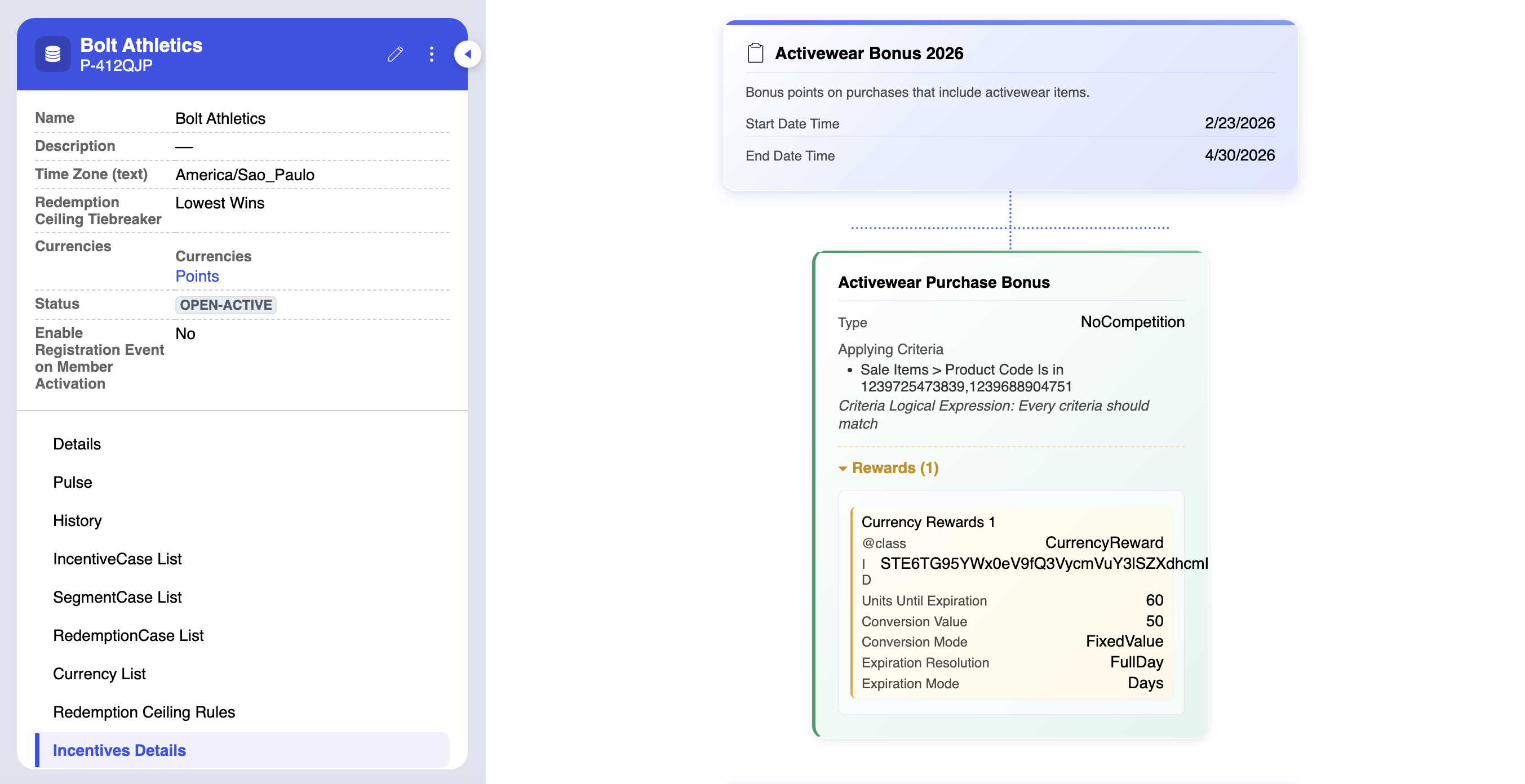
Review Digest Recommendations (Coming Soon)
If you’ve enabled the AI Weekly Digest, you may receive suggestions around new ways to segment and incentivize your membership base. You can review those suggestions on your program page. On the Review Recommendations table, you can get details on each recommendation and approve or reject it. You can also chat with Fielo AI about your recommendations. It can tell you why those recommendations were made, as well as explore what other alternatives might exist. Any recommendations that haven’t been reviewed by the time your next digest is sent will be automatically withdrawn.Settings
To create a program, navigate to the Programs page and select Create Program. In addition to a name and description, programs have the following settings:- Time Zone: The time zone that will be applied to input data during rules processing, in order to determine whether the incentivizable activity occurred inside an incentive’s timebox. It will also be used to when marking ledger entries and redemption items as expired. It accepts the cannonical identifiers as described by the tz database standard. If blank, UTC (GMT) will be assumed.
- Redemption Ceiling Tiebreaker: If using Redemption Ceiling Rules, this determines whether, when multiple rules apply, which rule will prevail. Lowest Wins means the lowest ceiling will be returned, while Highest Wins means the highest ceiling will be returned.
- Currencies: The currencies selected will be usable in the program. Members will not be able to accrue any unselected currencies.
- Enable Registration Event on Member Activation: When enabled, an event of type
Registrationwill be created whenever a member first enters “Open-Active” status. This enables you to provide a welcome reward to new members through an incentive rule.
Statuses
Programs can be in one of two statuses:- Open-Active: The program’s rules will be processed against input data related to its members.
- Resolved-Inactive: The program’s rules will not be processed.