

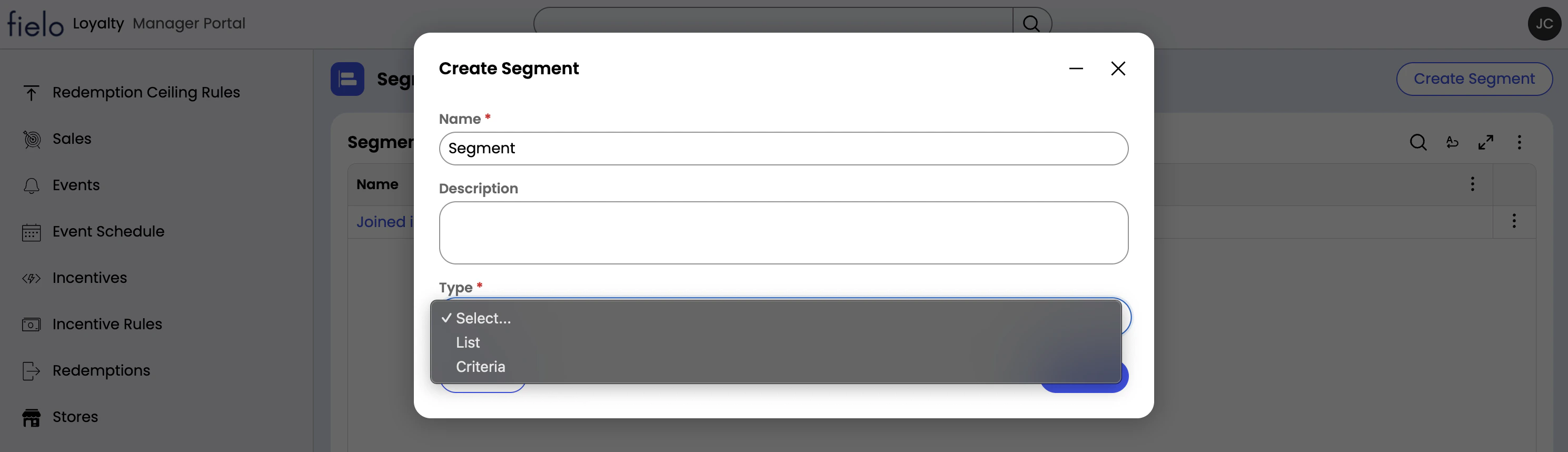
Segment Type
Segments can be one of two types:- Criteria: Segment membership is defined dynamically based on member attributes and is updated on-the-fly. For example, if a member performs an activity that is incentivized only for members who have provided a mobile phone number, Fielo will verify in real time whether the member has indeed provided one. Later on, if the member performs the same activity, Fielo will check once again during incentive processing to see if the member is part of that segment.
- List: The segment consists of a list of members that belong to the segment. The list can be updated administratively or via automation. This type of segment is typically used when segment membership is managed outside of Fielo (such as by a Customer Data Platform) or is discretionary (such as a “VIP Members” list).
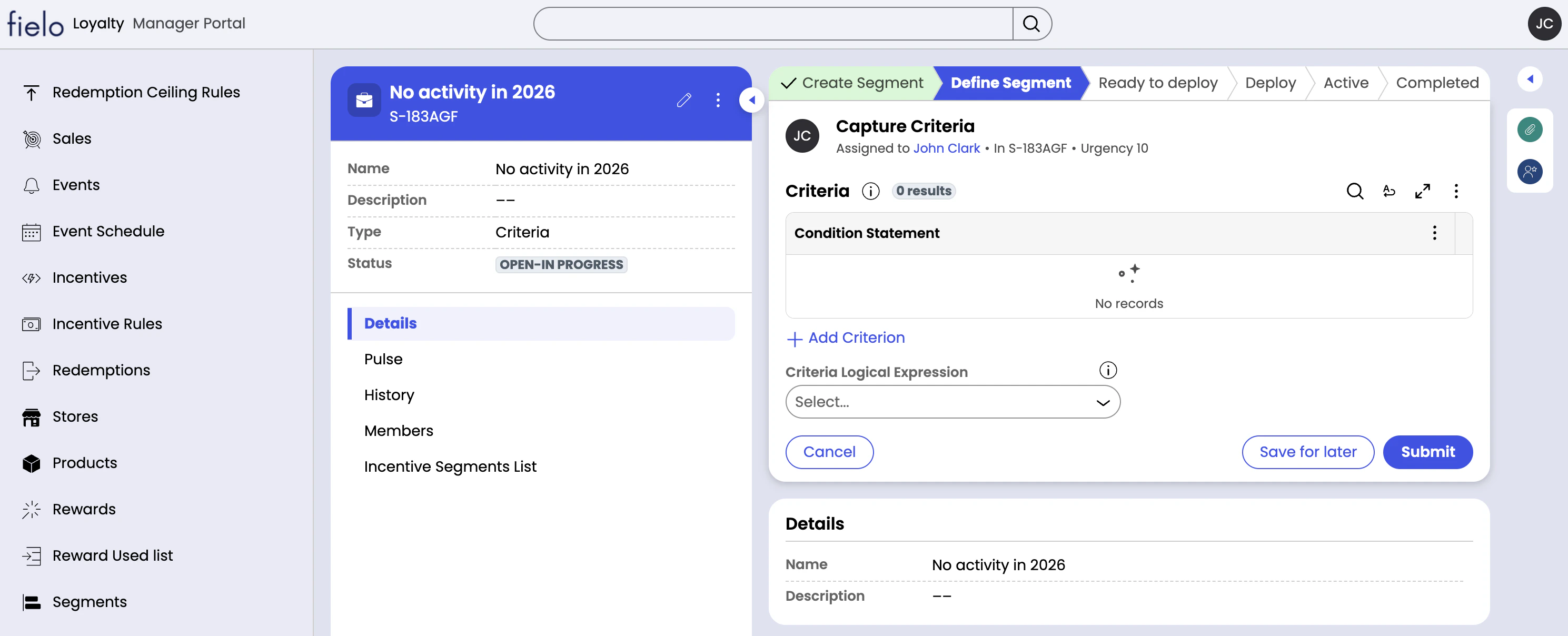
Configure a Criteria Segment with AI
You can brainstorm and create a segment by chatting with Fielo AI. On the right side of the Segments page, simply start a conversation around your segment idea. The agent will ask for any missing information and confirm all details before creating your segment. Once your segment is created, you’ll need to review it and then activate it.If a segment idea requires an attribute that doesn’t currently exist, the agent will let you know. Reach out to your account executive to explore how we can bring it to life.
Manage Criteria Segment Membership
A criteria segment requires one or more conditions, or criteria, that define which members belong to the segment. After you’ve created a criteria segment, you can add a criterion.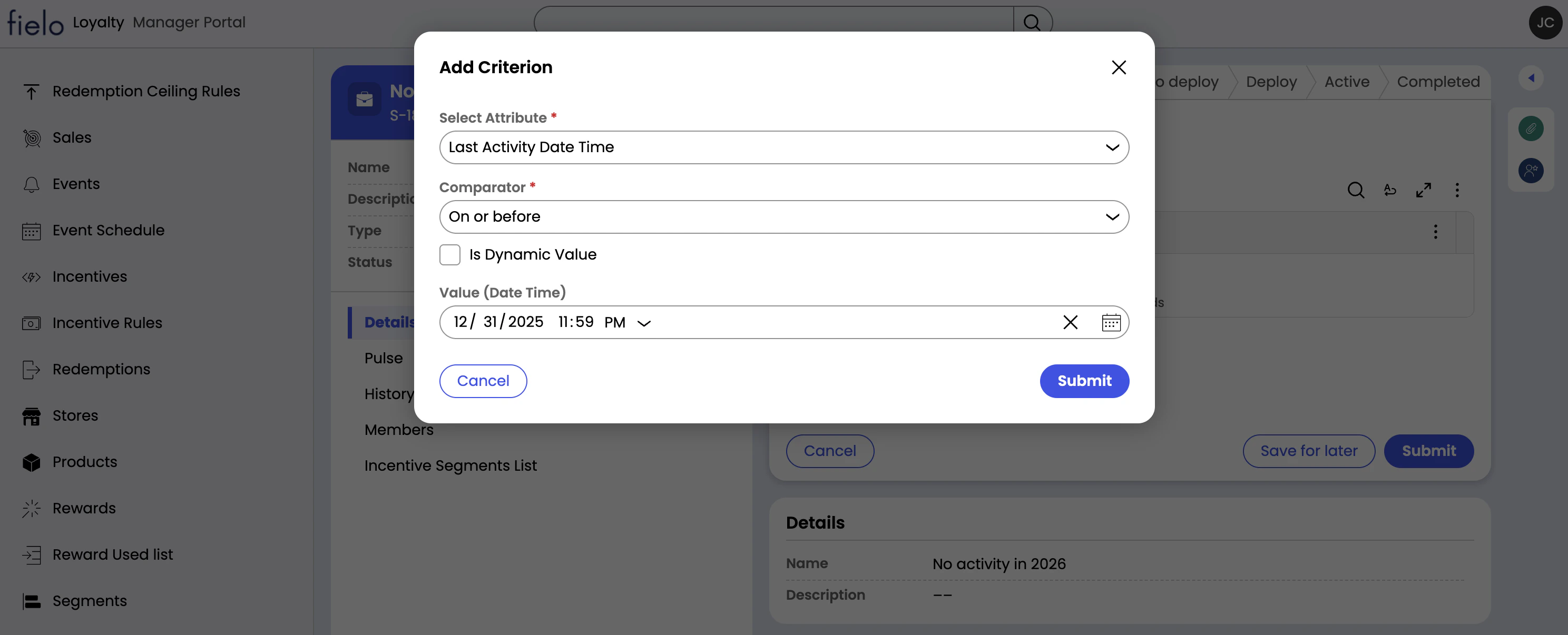
Manage List Segment Membership
List segments can be managed via API, as well as manually. You can quickly add and remove members administratively using external IDs. To add or remove members from a segment, access the three-dot menu from the details pane, select Add Members or Remove Members and enter the external IDs of the members. You can also modify the segments of a member directly from the member’s detail page. Once you’ve defined your segment’s list, you can go ahead and activate it. From the three-dot menu, choose “Mark as active”.Statuses
Segments can be in one of three statuses:- Open-In progress: The segment has been created, but not yet activated.
- Pending-Deploy: The segment has been submitted for activation and is undergoing deployment. This status applies to criteria segments only.
- Open-Active: The segment can be assigned to incentives, and such incentives will only be processed for members who belong to the segment.
- Resolved-Inactive: The segment is not in use and cannot be applied to incentives.