

Tiebreaker
When multiple redemption ceiling rules apply to a single presale, the tiebreaker determines which rule will take precedence. Lowest Wins means the rule with the lowest ceiling will apply, while Highest Wins means the rule with the highest ceiling will apply. You can set a tiebreaker on each of your Programs.Add a Rule
To add a redemption ceiling rule, navigate to the Redemption Ceiling Rules page and select Create Redemption Ceiling Rule. In addition to a name and description, incentives include the following attributes:- Program: Only members of this program will be rewarded through the incentive.
- Ceiling Amount: The maximum amount of currency applicable to presales scoped to this rule.
Set Criteria
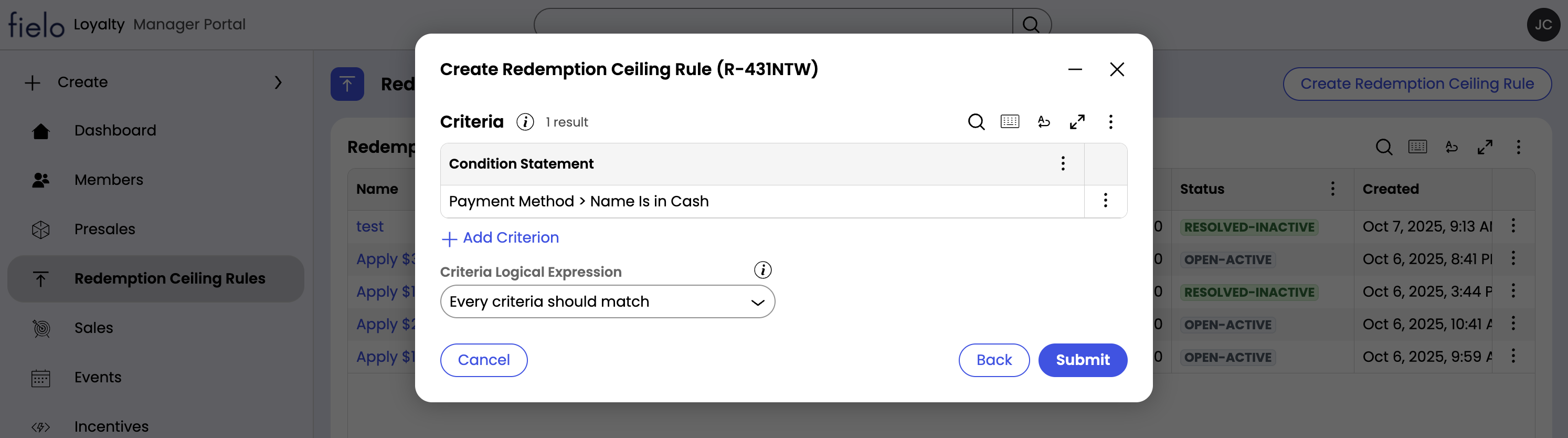
Next, add criteria to specify which presales should fall under the rule:- Criteria: The criteria that the presale must meet in order for this rule to apply. Criteria are built upon presale attributes. For example, if your rule only applies to presales over $50, the criterion will look something like
Net Amount greater than 50. - Criteria Logical Expression: Determines whether All criteria must match for the rule to apply, or Any criterion can match.
Statuses
Redemption Ceiling Rules can be in one of three statuses:- Pending-Deploy: The rule is undergoing deployment.
- Open-Active: The rule will be applied to scoped presales.
- Resolved-Inactive: The rule has been deactivated and will not be applied.